A successful website redesign requires more than an attractive layout. Before launching, businesses need to verify that their new website works correctly, loads quickly, supports visitors across devices, and provides a smooth user experience. This website redesign checklist covers essential tasks before launch, checks for launch day, and post-launch monitoring to help you avoid costly mistakes and unexpected downtime.
Website Redesign Checklist at a Glance
Use this checklist to organise responsibilities, prioritise critical tasks, and confirm that the redesigned website is ready for visitors. Assign an owner to each task and record the results before approving the launch.
| Task | Owner | Priority | Verification Method |
|---|---|---|---|
| Review page content and images | Content team | High | Manual page review |
| Check navigation and internal links | Web designer | Critical | Link testing and navigation review |
| Test mobile and tablet layouts | Designer / QA | Critical | Real-device testing |
| Verify forms and conversion paths | Developer / QA | Critical | Complete test submissions |
| Check analytics and tracking | Marketing team | High | GA4 Realtime and DebugView |
| Review accessibility | Designer / QA | High | Keyboard and accessibility testing |
| Check SSL and website security | Developer | Critical | HTTPS and security checks |
| Confirm backups and rollback plan | Developer / IT | Critical | Backup and recovery verification |
| Test website loading performance | Developer | High | PageSpeed Insights |
| Check redirects and essential SEO | SEO / Developer | High | URL and metadata review |
| Verify the live website | Project manager / QA | Critical | Launch-day smoke testing |
| Monitor post-launch issues | Project manager | High | Error and performance reports |
Priority guide: Critical tasks must pass before launch. High-priority tasks should be completed before launch wherever possible, while non-essential visual refinements can be scheduled as later improvements.
For businesses managing a complex redesign, working with WebLikeWeb's professional web design services can help coordinate the design, development, testing, and launch process.
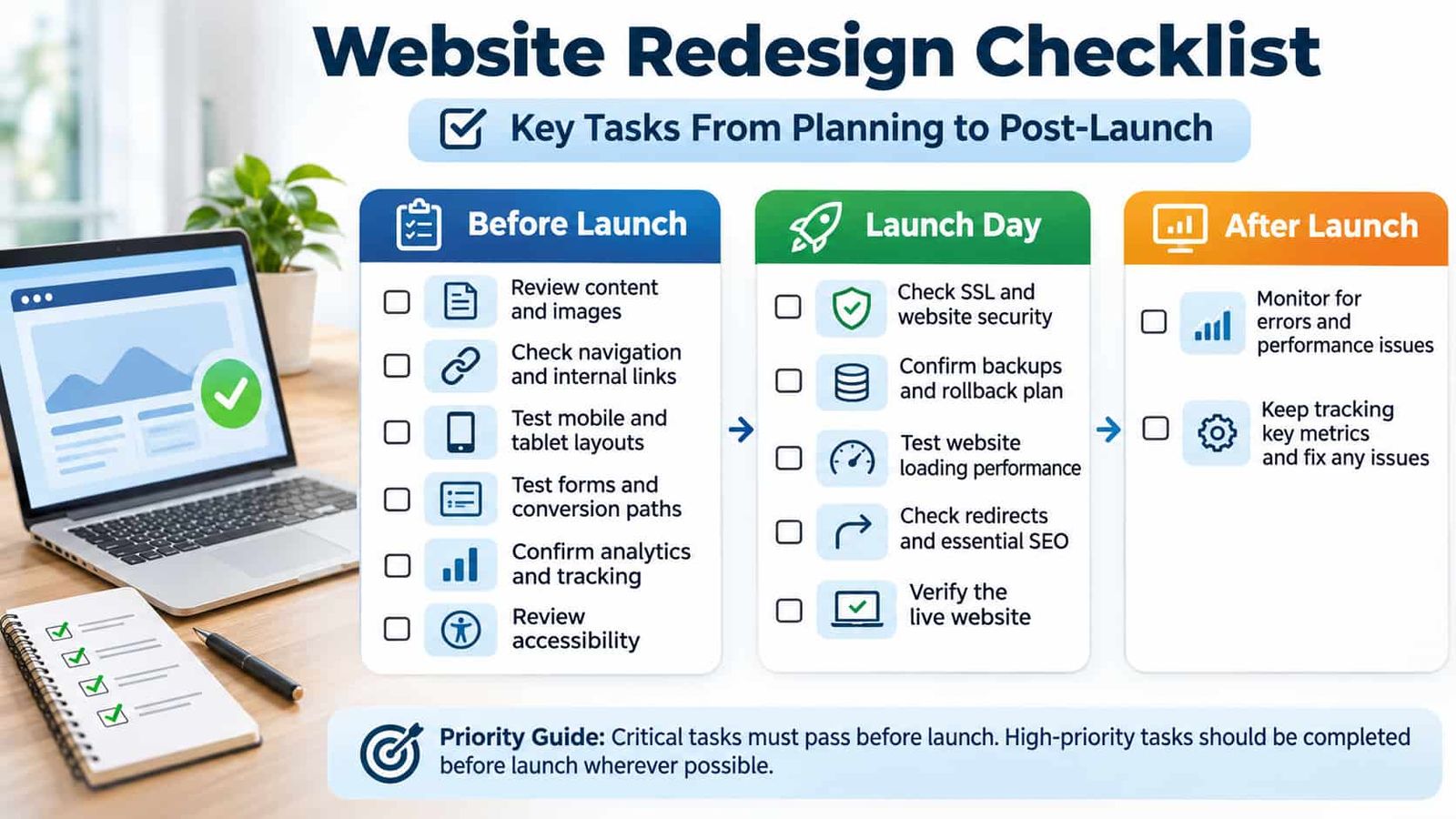
1. Content and Page Review
Check Website Copy and Information
Review every important page to ensure the content is accurate, complete, and consistent with your business messaging. Pay particular attention to service descriptions, product details, pricing, contact information, and calls to action.
Check that headings follow a logical structure, paragraphs are readable, and no placeholder text remains. Compare the redesigned website against the approved content plan to identify missing pages or sections.
Review Images and Internal Links
Check that images display correctly, match their intended sections, and are appropriately compressed. Replace outdated visuals, verify image permissions, and add meaningful alternative text where needed.
Test internal links, downloadable files, navigation menus, and buttons. Broken links or incorrect destinations can interrupt the customer journey and reduce confidence in the website.
2. Design, Mobile, and Usability Testing
Test Responsive Website Layouts
A redesigned website should work consistently across desktop computers, tablets, and smartphones. Test common screen sizes to identify overlapping elements, oversized images, horizontal scrolling, or buttons that are difficult to tap.
Check the website in major browsers, including Chrome, Safari, Firefox, and Edge. Prioritise combinations of browsers and devices commonly used by your audience, while ensuring essential functions work across supported environments.
Review Navigation and Accessibility
Visitors should be able to find important information without unnecessary steps. Check menu labels, navigation hierarchy, search functionality, readability, and the visibility of primary calls to action.
Accessibility testing should also cover keyboard navigation, visible focus indicators, text contrast, form labels, and alternative text. The W3C Web Content Accessibility Guidelines (WCAG 2.2) provide a useful reference for evaluating these requirements.
Automated accessibility tools can identify some problems, but manual keyboard and assistive technology testing is also important.
3. Functionality and Form Testing
Test Forms, Buttons, and Interactive Features
Every interactive feature should be tested before the redesigned website goes live. This includes contact forms, newsletter subscriptions, booking systems, dropdown menus, search tools, and downloadable resources.
Submit test forms using valid and invalid information. Confirm that validation messages appear correctly, submissions reach their intended destination, confirmation messages display, and automated notifications work.
Verify Important Conversion Paths
Test the complete journey from entering the website to completing a desired action, such as requesting a quote, booking an appointment, or submitting an enquiry.
For e-commerce websites, verify shopping carts, checkout, payment processing, shipping calculations, and order confirmations. Use appropriate test environments and payment testing methods to avoid unintended live transactions.
Launch rule: A website should not go live if visitors cannot complete its primary conversion actions.
4. Analytics and Conversion Tracking
Confirm Analytics Installation
Before launch, verify that Google Analytics 4 or your selected analytics platform is installed correctly. Check that page views are recorded and that important user interactions generate the expected events.
Google recommends using its Realtime and DebugView reports to confirm data collection and troubleshoot event tracking. These tools help teams verify their setup rather than waiting for standard reports to populate.
Test Conversion Tracking
Confirm that important business actions are measured correctly, including contact form submissions, bookings, purchases, and relevant CTA interactions.
In GA4, important business actions can be marked as key events. Check event names, parameters, and reporting settings, and ensure tracking follows applicable privacy and consent requirements.
5. Security, Backups, and Performance
Verify Website Security and Backups
Security checks are essential before a website relaunch. Confirm that the website uses a valid SSL certificate, loads securely over HTTPS, and does not contain mixed-content warnings.
Review software updates, administrator permissions, authentication settings, and security protections. Create a complete backup before deployment and establish a rollback plan covering files, databases, responsibilities, and recovery steps.
Test Website Speed and Stability
Use tools such as Google PageSpeed Insights to evaluate important pages on mobile and desktop devices. Review large images, unnecessary scripts, caching, and other elements that may slow down the website.
Pay attention to Core Web Vitals, particularly loading performance, responsiveness, and visual stability. Test the homepage, major service pages, and high-traffic conversion pages rather than relying on a single performance report.
6. Basic SEO Checks Before Launch
SEO should be part of the redesign website checklist, but it does not need to dominate the launch process. The immediate objective is to ensure that important pages remain accessible and discoverable.
Confirm that:
- Important pages return successful responses and use appropriate page titles and meta descriptions.
- Essential redirects work when URLs have changed.
- Internal links point to the correct destinations.
- The live website is not accidentally blocked from search engine indexing.
- XML sitemaps and canonical URLs are appropriate for the published website.
A separate technical SEO migration checklist may be necessary for large websites or projects involving extensive URL changes.
7. Launch-Day Website Checklist
Launching the redesigned website requires another round of verification because some problems only appear after deployment.
| Launch Task | What to Verify | Priority |
|---|---|---|
| Domain and hosting | The correct live website loads | Critical |
| HTTPS | Certificates and secure connections work | Critical |
| Key pages | Homepage, service pages, and contact pages load | Critical |
| Navigation | Menus and important links work | Critical |
| Forms | Live submissions reach the correct inbox or system | Critical |
| Integrations | CRM, booking, and payment systems function | Critical |
| Analytics | Live visits and key events are recorded | High |
| Redirects | Important previous URLs reach their intended pages | High |
| Mobile display | Critical layouts and actions work on mobile | High |
| Performance | No major loading or stability issues occur | High |
The project manager should coordinate launch approval, while technical team members confirm deployment and system functionality. Keep the previous website backup accessible and define conditions that would require a rollback.
8. Post-Launch Monitoring
Monitor Website Performance and Errors
The website redesign process does not end when the new website becomes publicly available. During the first 24–72 hours, monitor server errors, broken links, form submissions, and unexpected display problems.
Over the following weeks, review website traffic, engagement, conversions, page speed, and feedback from visitors. Compare the results with relevant pre-launch benchmarks while allowing for normal traffic fluctuations.
Maintain and Improve the Website
Create an ongoing maintenance schedule for software updates, backups, security checks, performance reviews, and usability improvements.
WebLikeWeb's website maintenance services can support businesses that need continued attention to website functionality, security, and performance after launch.
9. Common Website Redesign Mistakes to Avoid
Even a well-designed website can experience launch problems when testing is rushed or responsibilities are unclear. Common mistakes include:
- Approving a website based only on its visual appearance.
- Testing desktop layouts while overlooking mobile usability.
- Launching without checking forms, buttons, and conversion paths.
- Forgetting analytics or important third-party integrations.
- Publishing outdated content or leaving placeholder text visible.
- Skipping security checks, backups, or rollback preparation.
- Making the website live without assigning post-launch monitoring responsibilities.
A practical web redesign checklist helps teams identify these issues while there is still time to resolve them.
10. Final Website Redesign Review
Before approving the launch, confirm that all critical checks have passed, high-priority issues are resolved or formally assessed, and the team understands its launch-day responsibilities. Record outstanding improvements separately so they do not become confused with essential release requirements.
A successful redesign should deliver more than a refreshed appearance. It should provide a reliable, accessible, secure, and easy-to-use website that supports business goals.
Planning a website redesign? WebLikeWeb's professional web design services can help businesses prepare for a smoother launch, with attention to usability, functionality, and long-term website performance.